






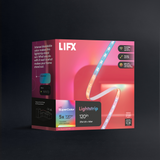
LIFX SuperColor Magnetic Beam 6 Piece Kit

A dynamic light bar designed to frame and transform your space. With 61 customizable zones per pack, Polychrome Technology, and exclusive effects, Beam lets you paint with billions of colors and create immersive, flowing light across your walls. Control it all from the LIFX app with schedules, scenes, and automations—or integrate with your smart home for endless possibilities.


$129.00
1
  • No hub required
  • 16M colors + whites
  • Matter certified
  • Ready in 90 seconds
  • Free shipping
  • 2-year warranty
Also at:

Why you'll love it

Everything you need to know

  • Magnetic light, infinite style. Six Beams with 61 customizable zones and 16 million colors snap, shape, and frame effortlessly, creating a seamless, cinematic glow that’s pure LIFX.
  • Lights for work. Keep your desk ultra-minimal and light your space from the wall, with bright, focused whites and natural daylight tones to keep you alert, plus visual cues for meetings and timers.
  • ...and for play. Level up your battlestation with SuperColor, filling your setup with vivid tones that react to every moment. Use schedules to shift into game mode when it’s time to get in the zone.
  • Paint, create, animate. Polychrome™ Technology lets you paint multiple color zones within a single light for depth and texture. Animate them with exclusive LIFX app effects for rich color that moves.
  • Smart lighting, no hub needed. With LIFX you can keep it simple or upgrade at your own pace, with no hub and no whole-home commitment.

Beam Setup

04 steps

Everything you need to install and style your Beam is included in the box — no hub required.

In the box:

  • 4/6 Beams + 1 Corner
  • 1 x Wi-Fi Controller
  • 1 x Plug in Power Supply
  • 1 x User Manual with Matter (or HomeKit) QR Code

You’ll Need:

  • A smartphone (iOS 18.0+ or Android 8.1+)
  • The LIFX app (download from App Store or Google Play
  • A 2.4 GHz Wi-Fi network (Most smart devices require 2.4 GHz. If your router combines 2.4 GHz and 5 GHz, that’s usually fine.)
  • Your Wi-Fi password

Important Notes:

  • Keep your phone near the light during setup.
  • Make sure Bluetooth is enabled.
  • Ensure your phone is connected to the same Wi-Fi network you want the light to use.

Installation

  1. Plan your full layout before mounting anything. Lay out all beam pieces and the corner connector to check the fit. Decide which end the power cable will sit at — make sure a power outlet is within reach from that position.
  2. Connect the beam pieces together using the corner connector (3-way connection). You can use up to 8 beam pieces and 2 corners in a single setup. Press each connector in for about 1 second until it clicks into place.
  3. Choose your surface. The Beam adheres to metal, glass, painted or varnished wood, tile, painted cinder block, plaster, and painted wallboard. The surface must be flat, clean, sealed, and hard. Do not install horizontally on a ceiling or floor — affix to a vertical surface only.
  4. Clean the mounting surface thoroughly with isopropyl rubbing alcohol, wiping gently. Do not use other cleaning substances. Allow the surface to dry completely before proceeding.
  5. Peel the backing off the 3M command strip on each beam piece. Carefully position the assembly on the wall, then press each piece firmly against the surface for 30 seconds, applying pressure at each contact point to ensure full adhesion.
  6. Connect the power cable to the beam assembly, then plug into a standard indoor outlet. Switch on to confirm all pieces are detected.

TIPS

  • Apply once to your final position — the adhesive will not hold reliably if removed and reapplied.
  • This product is for indoor use only — not suitable for dusty or moist environments.
  • If you add a beam piece while the power is on, press all buttons on the controller simultaneously and hold for 4 seconds to re-detect the full length.
  • To factory reset, press and hold all buttons on the controller for approximately 10 seconds.
  • Do not use near ovens, radiators, heaters, or other excessively hot environments.
  • Clean only with a soft dry cloth while unpowered. Do not use cleaning agents.

Select your device below to get step-by-step setup instructions tailored to your phone. We recommend using the Matter QR code method for the quickest and most reliable connection — you'll find the QR code in your product manual, or printed on the back of your device.

Choose your OS

Beam 6 Piece Kit

  • Color range16M colors
  • White range1500K–9000K
  • CRI80
  • FittingWall Plug (Type A)
  • Zones61
  • Dims11.81 in × 1.38 in × 0.79 in
  • Warranty2 years
Download manual Download spec sheet
ModelL3BEAMKITUSBarcode9347403001267
Customer Reviews

Real homes. Real lights.

No RISK

Buy it. Try it. Decide later.

  • 30 nights to decideNot right? Send it back for a refund. $14.99 return shipping fee applies.
  • 2-year warrantyHardware coverage, end to end. We ship a replacement first.
  • Free Shipping ** All orders over $79 ship free 
Do I need a hub or bridge to use this light?

No. LIFX Beam connects directly to your home Wi-Fi (2.4GHz band) and is controlled through the LIFX app, so there's no separate hub required.

Does this support Matter?

Yes. LIFX Beam can be updated to support Matter via a free firmware update through the LIFX app, so you can pair it with Matter-compatible platforms like Google Home or Apple Home in addition to the LIFX app. It also supports Apple HomeKit directly out of the box using the QR code included in the manual. (LCM3 Edition only.)

What's included in the kit, and how much can I extend it?

The Beam kit comes with either 4 or 6 Beam pieces (depending on the kit you purchase) plus 1 Beam corner (3-way connector) and 1 power cable. Either kit can be extended up to a maximum of 8 Beam pieces plus 2 corners in a single run.

How do I mount it, and what surfaces will it stick to?

Beam uses a peel-and-stick 3M Command strip system — clean the surface with isopropyl rubbing alcohol, let it dry, then press each contact point firmly for 30 seconds. It adheres to metal, glass, painted/stained/varnished wood, tile, painted cinder block, plaster, and painted wallboard, as long as the surface is flat, clean, sealed, and hard. Beam must be mounted on a vertical surface only — it's not designed for horizontal installs like ceilings or floors.

Can I use this outdoors or in a damp space like a bathroom?

No. Beam is designed for indoor use only and isn't suitable for use under dust or moisture, so it should be kept away from outdoor areas, bathrooms, or other damp environments.

What Wi-Fi network do I need?

LIFX Beam connects only to the 2.4GHz Wi-Fi band, not 5GHz — if your router broadcasts both, make sure you're connecting to the 2.4GHz network.

Featured in the publications you already trust
WIREDThe VergeWirecutterEngadgetFast CompanyThe New York TimesGizmodo
Stay in the loop

New products, launches and the occasional good deal. Unsubscribe any time.